
In this article, we have discussed how to change the currency on LCSC in a few simple and easy steps to help you.
How to change the currency on LCSC?
Step 1: Open the LCSC website.
Step 2: Click on the currency symbol in the top right corner.
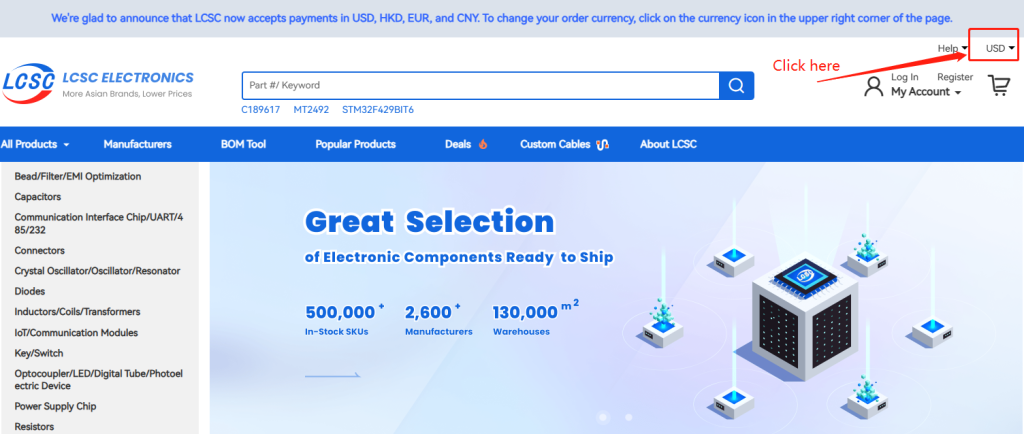
Step 3: Choose the currency you would like to use.
What currencies can I use on LCSC?
Here is a short list of currencies you can change to on LCSC:
- Euro (EUR) – €
- United States dollar (USD) – US $
- Chinese yuan renminbi (CNY) – ¥
- Hong Kong dollar (HKD) – HK $
LCSC Electronics is a global distributor of electronic components, offering over 500,000 inventory parts from more than 2,600 suppliers. Customers rely on LCSC for fast delivery due to our in-stock inventory and 130,000㎡ intelligent warehouses. Designers and buyers can find products in design and production quantities at LCSC Electronics.